
-
Joyce
- May 17, 2026
- 0 Comments
- African Cybersecurity
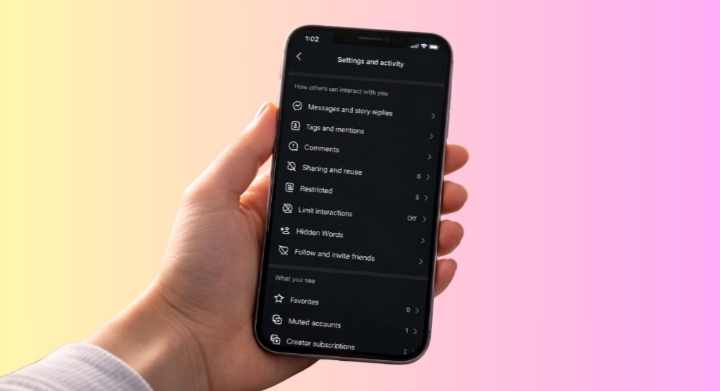
Protecting your privacy on Instagram starts with adjusting a few important settings. These changes can help reduce spam, prevent account hacking, limit unwanted interactions, and give you better control over your personal information online.
1. Switch Your Account to Private
A private account allows only approved followers to see your posts, stories, and profile activity. This is one of the easiest ways to control who accesses your content.
2. Limit Direct Messages
Adjust your message settings so strangers and suspicious accounts cannot freely send you DMs or spam requests.
3. Hide Your Online Activity Status
Turning off your activity status prevents others from seeing when you’re active or last online.
4. Control Tags and Mentions
Restrict who can tag or mention you in posts, comments, and stories to avoid spam and unwanted attention.
5. Customize Story Privacy
Choose specific people who can or cannot view your stories and live videos for more personal privacy.
6. Enable Two-Factor Authentication
Adding two-factor authentication gives your account an extra layer of security against hackers and unauthorized access.
7. Review Logged-In Devices
Regularly check the devices connected to your account and remove any unfamiliar logins.
8. Turn Off Contact Syncing
Disabling contact syncing stops Instagram from uploading your phone contacts to its servers.
9. Reduce Sensitive Content Recommendations
Adjust content settings to limit explicit, disturbing, or inappropriate posts appearing in your feed and Explore page.
10. Update Your Ad Privacy Preferences
Review ad settings to reduce personalized tracking and control how your data is used for advertisements.
11. Activate Hidden Words Filters
Use Hidden Words to automatically filter offensive comments, spam, and unwanted messages.
12. Avoid Sharing Your Location
Disable unnecessary location sharing and avoid adding location tags to posts for better personal safety.
13. Restrict Notes and Story Replies
Limit who can interact with your notes and reply to your stories to reduce unwanted conversations.
14. Remove Unused Third-Party App Access
Check and remove apps or websites connected to your Instagram account that you no longer use.
15. Use the Restrict Feature for Problematic Users
Instead of blocking someone, the Restrict feature quietly limits their interactions with your account without notifying them.
Making these privacy adjustments can significantly improve your safety, security, and overall experience on Instagram.