
 Joyce
Joyce 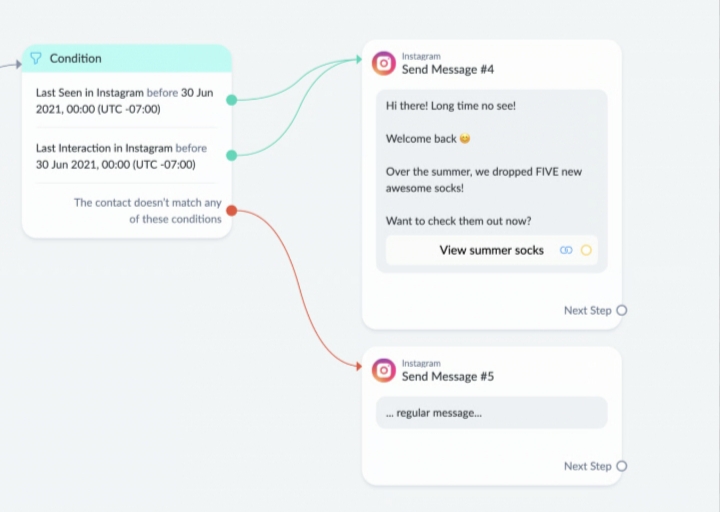
ManyChat is a powerful platform for automating Instagram direct messages. It enables you to respond to messages automatically, trigger replies based on keywords, collect leads, and guide followers through conversations without needing to reply manually.
1. Set Up a ManyChat Account
- Visit the ManyChat website and create an account.
- Connect your Instagram profile.
- Ensure your Instagram account is set up as a Business or Creator account and linked to a Facebook Page.
2. Connect Instagram to ManyChat
- Choose Instagram as your communication channel within ManyChat.
- Grant the required permissions.
- Complete the connection process to enable DM automation.
3. Build Your First Automation Flow
Go to Automation → Flows and create a new workflow.
Example:
- Trigger: User sends the word “price”
- Response: “Thanks for reaching out! Here’s our pricing information.”
- Follow-up: “Would you like to speak with our team?”
- Yes → Show contact form
- No → End the conversation
4. Create Keyword-Based Responses
Keyword automation allows specific words to trigger predefined replies.
Examples:
- “price” → Send pricing details
- “menu” → Share a menu
- “course” → Provide course information
- “book” → Send a booking link
To set this up:
- Open Automation → Keywords.
- Add your chosen keyword.
- Connect it to the relevant flow.
5. Use Comment-to-DM Automation
This feature automatically sends a DM when someone comments on a post.
Example:
- Post: “Comment ‘GUIDE’ to receive our free PDF.”
- User comments “GUIDE.”
- ManyChat automatically delivers the PDF link via DM.
Setup:
- Go to Automation → Instagram Comments.
- Select the post.
- Define the trigger words.
- Link the DM workflow.
6. Automate Story Interactions
You can create automated responses when users:
- Reply to your Stories.
- Mention your account in their Stories.
For example:
- Story reply → Send a welcome message.
- Story mention → Send a thank-you message.
7. Capture Leads
ManyChat can collect information such as:
- Names
- Email addresses
- Phone numbers
- Survey responses
A typical lead-generation flow:
- Request an email address.
- Save the information in ManyChat.
- Tag the user.
- Deliver a discount code, guide, or other resource.
8. Organize Contacts with Tags
Tags help segment your audience based on interests or actions.
Examples:
- Product A Interest
- Webinar Lead
- VIP Customer
- Returning Customer
This makes it easier to send personalized follow-up messages.
Example Ebook Funnel
- User comments “ebook.”
- ManyChat sends a DM asking if they want the ebook.
- User selects “Yes.”
- The bot requests an email address.
- The email is collected and stored.
- The ebook link is delivered.
- The user is tagged as an ebook lead.
Follow Instagram Guidelines
Instagram requires users to initiate contact before businesses can send most automated messages. Ensure your automations comply with platform policies and avoid excessive or unsolicited messaging.
Common Uses of ManyChat on Instagram
- Lead generation
- Product sales
- Appointment scheduling
- Customer support
- Product recommendations
- Giveaways and promotions
- Delivering digital resources
- Webinar registrations
ManyChat can significantly streamline communication and help businesses engage followers more efficiently through automated Instagram conversations.