
-
Joyce
- April 13, 2026
- 0 Comments
- African Cybersecurity
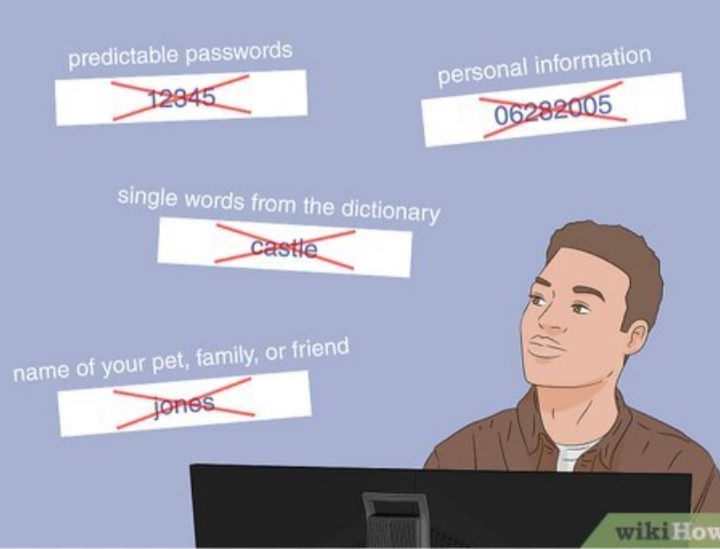
In an age where much of our lives happen online, passwords act as the first line of defense for our personal information. Whether it’s your email, bank account, or social media, weak passwords can leave you vulnerable to hacking and identity theft. While many people choose simple passwords for convenience, it’s possible to create ones that are both secure and easy to recall.
Why Strong Passwords Are Important
Hackers use powerful software that can test millions of password combinations within seconds. Simple choices like “123456” or “password” offer almost no protection. Even slightly altered versions such as “Password123” remain easy targets because they follow predictable patterns.
A strong password reduces the chances of being guessed or cracked. However, if it’s too complex to remember, you might reuse it or write it down—both of which can weaken your security.
Focus on Memorable Strength
Rather than relying on random characters, aim for passwords that are long, unique, and meaningful to you, yet difficult for others to figure out.
Here are some effective approaches:
1. Choose Passphrases
Passphrases combine several unrelated words, making them both strong and memorable. For example:
RiverMangoLaptopSkyCoffeeTigerBlueSunset
Because of their length, these are harder to break but easier to remember than random strings.
Tip: Avoid using words that are directly linked to your personal life.
2. Build in Personal Patterns
You can strengthen your password by adding a pattern only you understand:
- Insert symbols:
River-Mango-Laptop-Sky - Mix capitalization:
rIvErMaNgOlApToPsKy - Add numbers creatively:
River4Mango8Laptop2Sky
These tweaks improve security while keeping the password memorable.
3. Turn Sentences into Passwords
Create a password from a sentence by using the first letters of each word:
- Sentence: “I got my first apartment in 2019 and loved it.”
- Password:
Igmfai2019&li.
This method connects your password to something meaningful but not obvious.
4. Stay Away from Common Mistakes
Avoid these typical errors:
- Including personal details like names or birthdays
- Reusing the same password across different platforms
- Making slight variations of the same password
If one account is hacked, others can quickly follow.
5. Use a Password Manager
A password manager can store all your passwords securely and even generate strong ones for you. This way, you only need to remember a single master password.
6. Add Extra Protection with 2FA
Two-factor authentication (2FA) strengthens your security by requiring a second step, such as a code sent to your phone or an authentication app.
7. Develop a Consistent Method
Instead of creating passwords randomly, build a system you can follow:
- Base phrase:
CoffeeTigerBlue - Customize per account:
- Email:
CoffeeTigerBlue_Email - Banking:
CoffeeTigerBlue_Bank
- Email:
This helps you maintain unique passwords without forgetting them.
Conclusion
Creating strong passwords doesn’t mean making them impossible to remember. By using passphrases, patterns, and simple systems, you can strike the right balance between security and convenience. With a consistent approach, protecting your digital life becomes much easier and more effective.